 DayPilot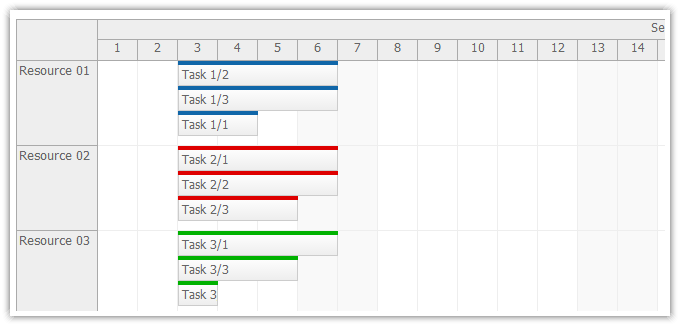
Tutorial
Features
This tutorial shows how to enable custom event sorting inside ASP.NET scheduler time cells.
- Custom event sorting using a dedicated database fields ("ordinal").
- The event order can be updated by drag and drop to a new position.
- Visual Studio 2012 Solution
- C# and VB source code
- Sample Microsoft SQL Server database (LocalDB)
Example
Sample configuration:
.aspx
<DayPilot:DayPilotScheduler
  ID="Scheduler"
  runat="server"
  ...
  EventMoveToPosition="true"
/>
.aspx.cs
private void SetDataSourceAndBind(DateTime start, DateTime end)
{
  Scheduler.DataSource = GetData(start, end);

  Scheduler.DataStartField = "eventstart";
  Scheduler.DataEndField = "eventend";
  Scheduler.DataIdField = "id";
  Scheduler.DataTextField = "name";
  Scheduler.DataResourceField = "resource_id";

  Scheduler.EventSortExpression = "ordinal";

  Scheduler.DataBind();
}
The source code of the tutorial is available for download.